What Loopin is and what it solves
Loopin is a habit tracker that helps you build monthly habits with full privacy. It stores your data only in your Google Drive, not on any server. This means you own your data and no third party can access it. It is for people who want a simple, private way to track habits without relying on a company’s servers. The app is serverless because it uses Google Drive as the storage layer, avoiding the need for backend infrastructure. As a result, there are no costs for hosting or databases. For more on what offline-first means, see what offline-first means.
Why offline-first was chosen
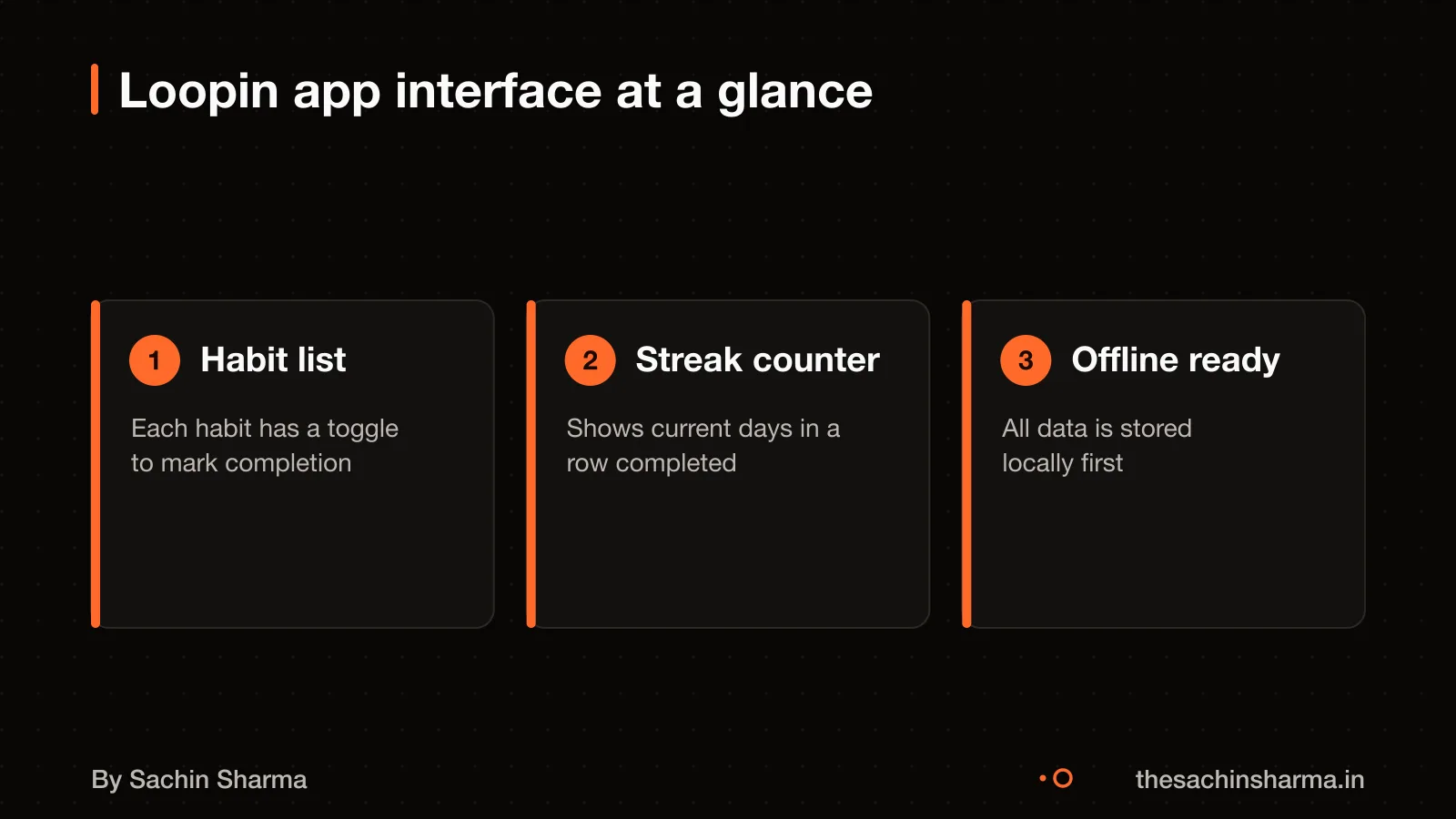
Loopin uses an offline-first design with no server or database. This means you can log habits anytime, even with no internet. The app stores data locally on your device using Hive, a lightweight NoSQL store for Flutter apps.
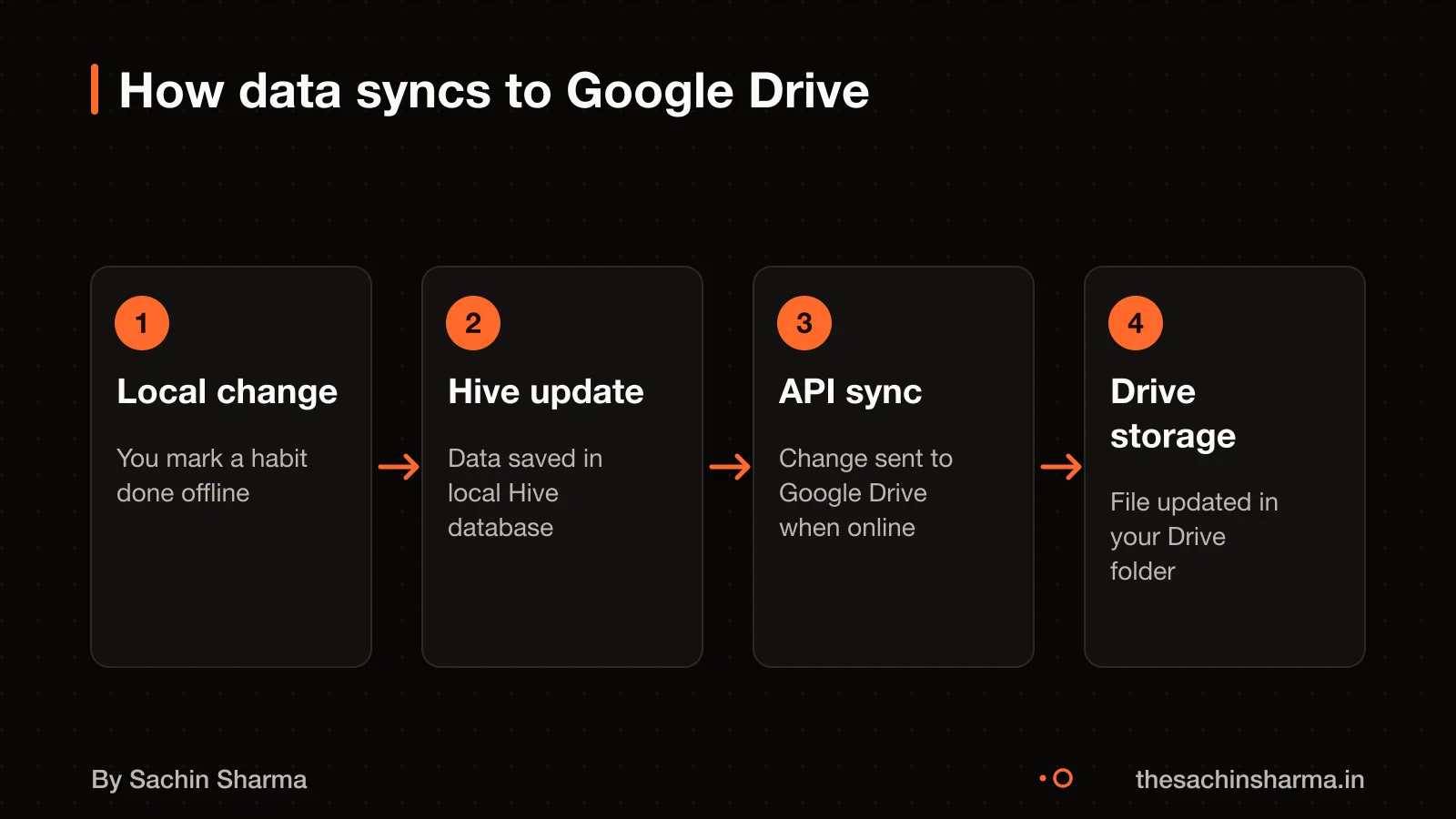
Avoiding a server cuts hosting costs and removes a single point of failure. It also means no backend maintenance, scaling issues or uptime monitoring. The app syncs changes when online by writing to your Google Drive folder.
The main trade-off is limited collaboration. You cannot share habits or view others' progress in real time. Sync conflicts are harder to resolve without a central server to arbitrate. Feature growth is also constrained. Any new feature must work offline and fit within Google Drive’s sync model.
For more on the cost implications, see how much more an offline-first app costs.
How sync works with Google Drive
Your data is stored in Google Drive’s `appDataFolder`, a hidden space tied to your Google account. This folder holds your habit records as encrypted files and is not visible in the regular Drive interface. It is meant for app-specific data like settings or caches, and only your device can read from or write to it using authorised access.
Sync happens when your device reconnects to the internet after being offline. The app checks for changes made locally and pushes them to the `appDataFolder` on Google Drive. There is no real-time sync; updates occur only when the app detects network availability. Google Drive supports offline mode, so your changes queue locally until a connection resumes.
The `appDataFolder` plays a key role because it acts as a private, per-user backend. Since it is isolated from other users and not shared by default, no server is needed to manage access control. Each user’s data lives in their own Drive, reducing central infrastructure costs and complexity. However, this also means no cross-user sharing or collaboration is possible.
If you want to build a similar system, see how to set up Google sign-in for secure access.
Tech stack and why each piece was chosen
Loopin uses Flutter for the app framework and Hive for local storage. The root project uses Node.js to orchestrate modules. Flutter was chosen because it supports cross-platform mobile development with a single codebase, which reduces build and maintenance time. Hive, a lightweight NoSQL database, handles local storage efficiently on-device, making it well-suited for offline-first apps that must work without network access. This combination allows Loopin to keep all user data on the device until sync is possible. The use of loosely-coupled modules suggests a design focused on maintainability and independent updates. For another Flutter app using local caching, see Wally: a Flutter app with local caching.
What happens when two devices edit the same habit
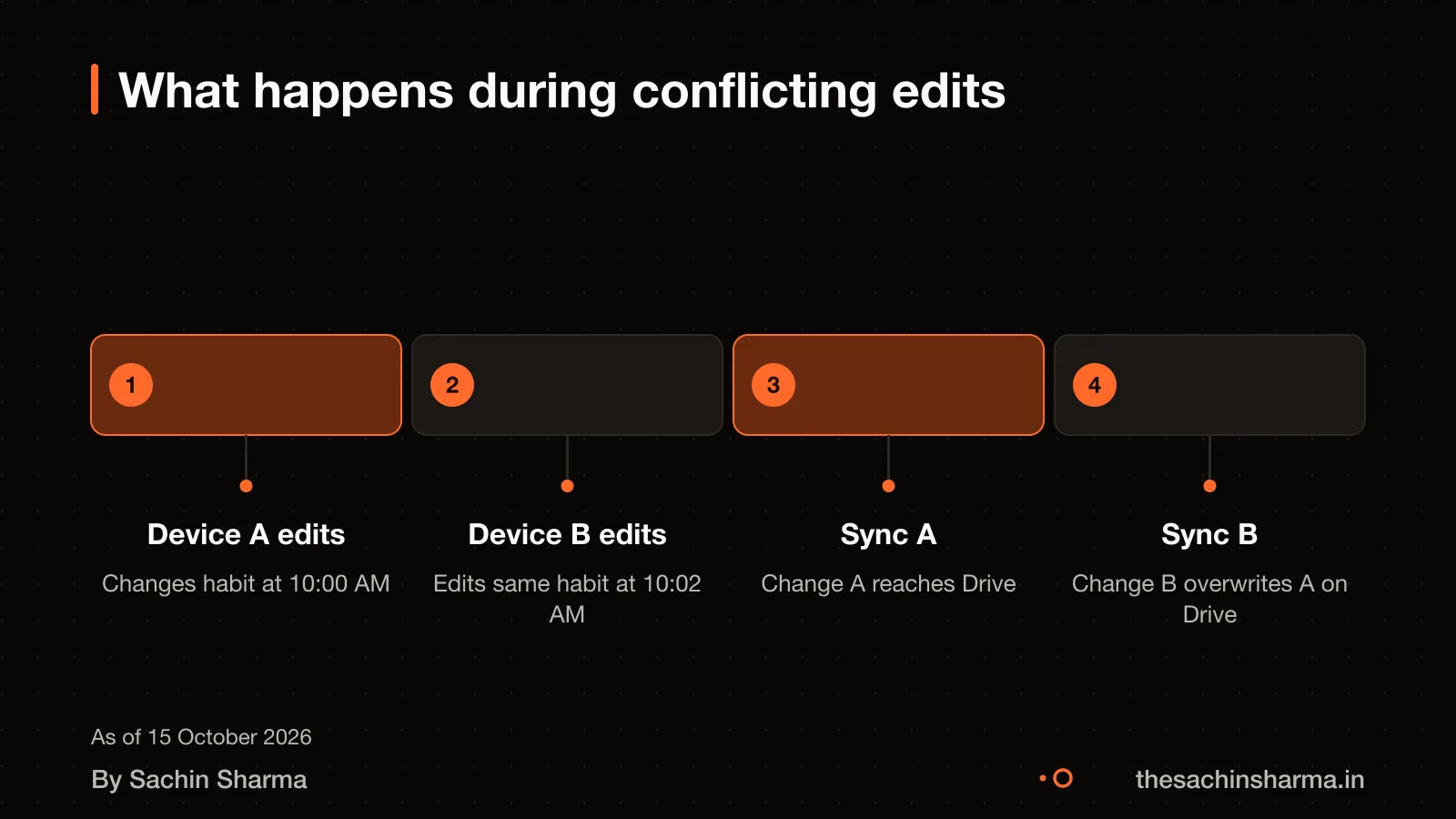
Data can be lost when two devices edit the same habit field at the same time, because Loopin uses a last-write-wins (LWW) model. The most recent change overwrites the earlier one without merging. This is a known trade-off in offline-first apps that sync via file storage.
Conflicts are not resolved by merging changes. Instead, the system accepts that LWW may discard one set of edits. This is considered acceptable because same-field concurrent edits are rare in a personal habit tracker. When they do happen, every conflict resolution is logged.
Users are not notified in real time. However, a debug screen inside the app shows recent conflicts for review. This helps spot issues during testing or personal use.
As a parallel example, OneDrive handles concurrent edits by saving the first change to the main file. The second as a separate "conflict copy". Loopin does not create conflict copies. It only keeps the last version.
For deeper technical details, see how Loopin handles offline sync conflicts.
How data is secured in transit and at rest
Your data is encrypted in transit when synced and at rest in Google Drive. When devices sync, traffic is protected by TLS. Google Drive encrypts files at rest.
Device connections are verified using certificate fingerprints. Each device in the sync chain compares the certificate fingerprint of the other device to a preset list of acceptable devices before allowing a connection. This means only devices you have pre-approved can join your sync network, blocking unauthorised devices from impersonating your phone or tablet.
For example, when your phone and laptop sync, they first exchange certificate fingerprints. If the laptop’s fingerprint is not on the phone’s approved list, the connection is rejected. This check happens automatically every time a sync session starts. Your data stays in your control, and no third party can insert themselves into the flow.
This design ensures that even if someone gains access to the sync channel. They cannot impersonate your device without physical access to your approved device list.
Limits of using Google Drive as a backend
Google Drive has hard technical limits that shape how Loopin can work. These limits affect how much data you can sync, how often, and under what conditions. You must design around them from day one.
The Google Drive API allows 325,000 quota units per minute per user per project. Each file read, write or update uses a set number of units. A habit log might use 50 units. So you could log about 6,500 habits per minute in theory. But in practice, mobile devices rarely hit this limit unless syncing many entries at once. Still, apps with high-frequency writes, like live trackers, can hit this cap fast.
There is a 1 TB daily egress limit per project. This means all users of Loopin combined can download no more than 1 TB of data from Drive in 24 hours. For a single-user habit tracker, this is not a problem. But if Loopin ever scaled to thousands of users, this cap could block syncs during peak times.
Each user can upload up to 750 GB per day between My Drive and all shared drives. So even heavy use stays far below this cap. But if you added large media like voice notes or images, you could hit it quickly.
On weak networks, sync fails often. A weak connection is a common cause of errors in Google Drive. Loopin queues changes locally and retries when the network improves. But if the outage lasts hours, users may not realise their data has not synced. This creates a false sense of safety.
For stores with unreliable internet, offline-first apps can still fail if they depend on cloud sync software for stores with unreliable internet.
Want to know if your app idea can skip a server? Send one line on WhatsApp. I'll say if offline-first works and what limits you'll hit.
Message me on WhatsAppWhat I would change if rebuilding today
The original design lacked real-time sync and team features, making it unsuitable for shared use. Conflict resolution was weak because changes from different devices relied on last-write-wins, risking data loss when offline edits clashed. As an estimate, assuming two users edit the same habit while offline, one user’s update could overwrite the other without warning. This stems from using Google Drive’s file-level sync instead of record-level merging.
The new PoCPS framework includes PoT, PoL, PoP, and PoW.
Staking requirements for liquidity providers were increased from 24 hours to 7 days during the mainnet phase, showing a shift toward long-term commitment. This change reflects a broader trend in the ecosystem to reduce churn, but it does not directly affect the mobile app’s offline functionality.
UUIDv7 was later adopted to improve event ordering, and conflict logging was added to help trace sync issues. Still, without a central coordinator, true real-time collaboration remains out of reach. For team habits or shared goals, a managed backend like Firebase would work better. See Aashwasan: a Firebase-backed app for a project where real-time sync and multi-user support were built from the start.
When this architecture is a bad idea
Do not use this design if you need team collaboration, real-time updates, or push notifications. Since Loopin syncs only through Google Drive and has no central server, it cannot support multiple users editing the same data at once. Real-time features like live chat or shared checklists are impossible under this model.
You cannot build features that require background processing, automated alerts, or server-driven logic. For example, sending reminders, syncing across devices instantly, or analysing user data for insights are all out of reach. The app cannot wake up on its own to sync, it only updates when opened.
This approach is also a bad fit for apps that expect high-frequency writes. Frequent syncs, large files, or batch operations can hit this limit quickly, leading to failed saves.
Teams or businesses needing audit trails, role-based access, or admin controls should avoid this architecture. It works only for single-user, privacy-first apps where eventual sync is enough.
Next step: message me on WhatsApp with what you want to build. No forms, no sales team.
Message me on WhatsAppAssumptions behind the numbers
- Sync works reliably for solo users under Drive API quotas
- Last-write-wins is acceptable for rare concurrent edits
- Users understand data is stored in Google Drive appDataFolder
The thinking
- 01
Problem
Habit tracking without a server meant losing data ownership or paying for backend infrastructure.
- 02
Decision
Use Google Drive’s appDataFolder for sync, with UUIDv7 keys and last-write-wins conflict resolution.
- 03
Why it holds
Serverless design keeps costs at zero and puts data ownership in the user's hands. Sync reliability depends on the user's connection and Drive’s quotas, which are high enough for solo use.
What it includes
- Offline-first habit grid with swipe actions
- UUIDv7-based local-first entries
- Debug screen for sync conflicts
Questions people ask
01Can users export their data from Loopin?
Yes, users can access their habit data directly from Google Drive. The data is saved in encrypted files, but the exact format for export is not confirmed. For steps to access it, see the guide on how to integrate Google Drive with offline-first apps.
02Can multiple users share a habit in Loopin?
No, Loopin does not support direct sharing of habits between users. While you could place the data file in a shared Drive folder. This is not safe due to the last-write-wins sync model, which can cause data loss. For team tracking, consider tools built for collaboration.
03Is data encrypted locally on the device?
Loopin stores data locally using Hive, and the files in Google Drive are encrypted, but local device encryption depends on the user's settings. If someone accesses your device and its Syncthing-like config or keys, they could read your data. Assume your device's own security is the first line of defence.
04What happens if a file is corrupted in Google Drive?
If a file is corrupted in Google Drive, Loopin has no built-in recovery method. You should restore from a previous version in Drive or from a backup if available. Google Drive keeps file versions for 30 days by default, so act quickly to recover data.
05How long can offline changes stay queued before syncing?
The maximum time offline changes can stay queued in Loopin is not documented. Sync happens automatically when the device comes online, but there is no evidence stating a timeout or failure window. Assume changes persist until the next successful connection, unless storage limits are reached.
06What caused instability in Loopin's testnet phase?
New nodes lacked a proper test period during the testnet phase, leading to instability in resource availability. This means some nodes were not fully verified before going live, affecting reliability.
07How did the original PoCPS algorithm fall short?
The original PoCPS algorithm did not address stability, scalability, or privacy. This led to concerns from users and researchers about long-term performance and data safety.
08What is Proof-of-Time (PoT) in Loopin?
Proof-of-Time (PoT) rewards are based on how long a node has been part of the protocol. This encourages long-term participation and stability in the network.