What does a Next.js developer actually do on a web product?
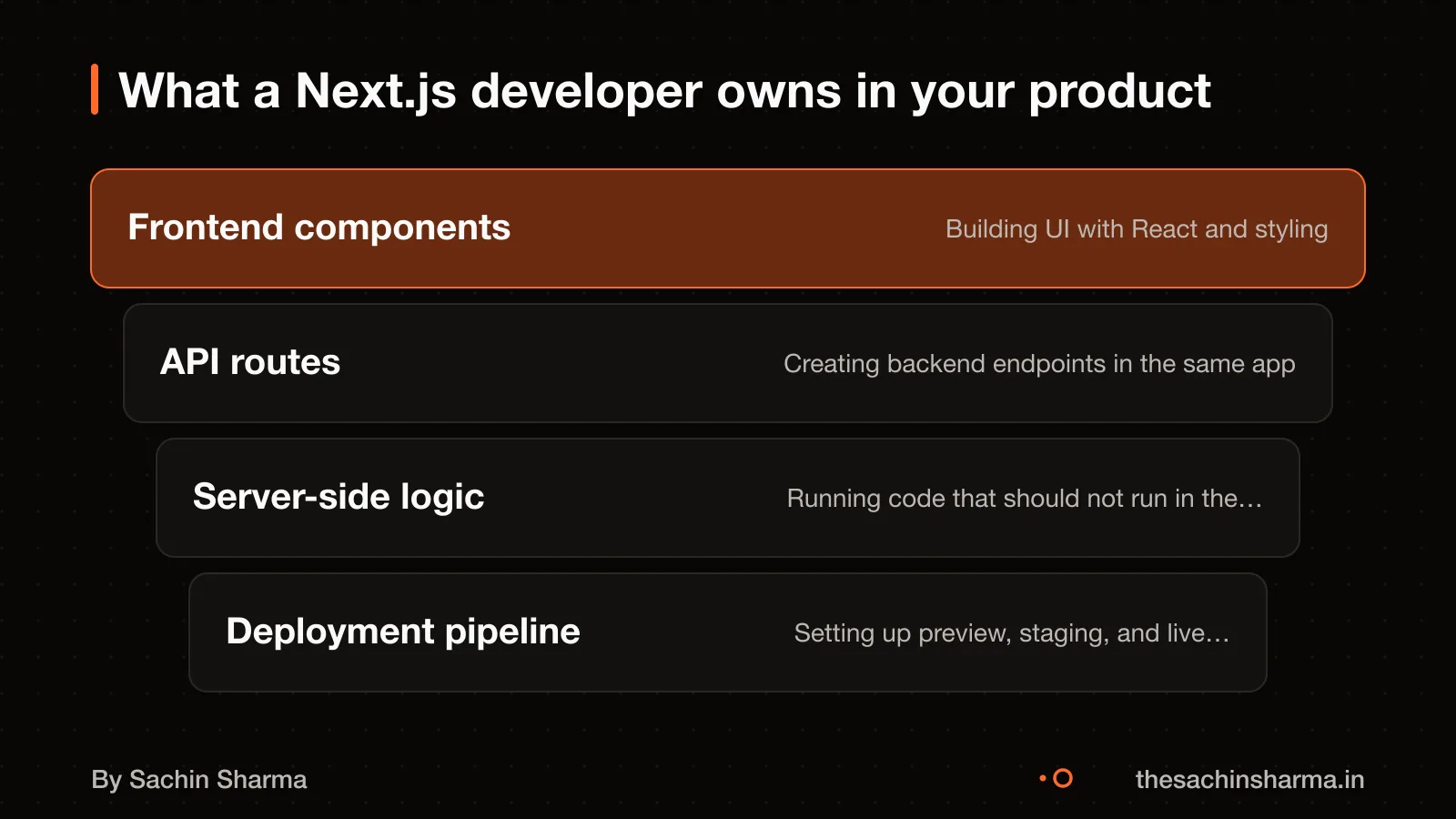
A Next.js developer owns the full stack of a web product, not just the frontend. They decide how pages load, where data comes from, and how users access features. This is different from a general web developer, who may focus only on visuals or backend logic. A Next.js developer handles both, plus routing, rendering choices, data orchestration, security, and delivery.
They also write frontend code like components, forms, and styling, ensuring the site works for all users. Including those using screen readers or non-English languages. They set up logging and monitoring to catch errors and slow performance early. This means they spend time making decisions, like whether a page should be static or server-rendered, before writing any code. For example, in EHR Copilot, I chose server-side rendering for patient notes to keep data private and fast. Their role is architectural: they shape how the product works, not just how it looks.
Do you need a Next.js developer for your web product?
You need a Next.js developer if your web product must rank on search engines or is a SaaS or e-commerce platform. Next.js is a React framework for building full-stack web applications. It is not the right choice for simple brochure websites that rarely change.
A generalist may be enough if your team is still learning React or your infrastructure cannot run Node.js. For early-stage startups with minimal interactivity, a simpler stack may reduce complexity. But if you plan to grow into user accounts, dashboards, or real-time updates, starting with Next.js avoids costly rewrites.
Team size and stage matter. Small teams building a full product fast benefit from Next.js’s built-in features like routing and API handling. Larger teams gain from its structure and scalability. A dedicated Next.js developer helps make the right architecture calls early.
What key technical decisions must a Next.js developer make?
Next.js has two different routers. These choices affect speed, cost, and maintainability.
Next.js has two routers: App Router and Pages Router.
Choose rendering per page based on how fresh the data must be. Next.js supports Static Generation (SSG) and Server-side Rendering (SSR); SSG can be used for pages that do not change often. SSR for pages with live data. Next.js allows this choice for each page.
Fetch data with async functions in server components. Cache it using `revalidateTag` or `revalidatePath` to update content without rebuilding the whole site. This keeps content fresh without high costs.
For example, a product listing page can use SSG with `revalidateTag` so it updates when stock changes. A user dashboard uses SSR to show real-time data on each visit.
If you are unsure what an API is, read our guide on what an API is.

Which skills matter most for a Next.js developer?
Next.js builds on React. But knowing React alone is not enough. They must also understand when to use server-side rendering (SSR) or static site generation (SSG), and how that affects performance and SEO.
API design is vital. Next.js includes API Routes, which let developers write backend logic right inside the app. You need this for forms, user authentication, or webhooks. A developer who cannot design clean, secure API routes will force you to add a separate backend later.
Database integration skills are also essential. The project uses DrizzleORM, a type-safe tool that works with PostgreSQL, SQLite and MySQL. If your app stores user data, orders or content, the developer must connect it safely and efficiently to one of these databases. Without this, your product cannot scale or stay secure.
How to test if a developer knows Next.js architecture
Ask to see projects built with the App Router, Incremental Static Regeneration (ISR), and Server Components. These features show they understand modern Next.js architecture, not just React syntax. A developer who has used ISR knows how to update static pages after build time. Server Components reduce client-side load by moving logic to the server.
Check if their projects use Playwright for end-to-end testing, Vitest for unit testing, and authentication tools like Clerk or NextAuth.js. Playwright tests real user flows, such as login or checkout, across browsers. Vitest ensures individual functions work as expected. Using Clerk means they can integrate secure, scalable auth without building it from scratch.
Shallow experience shows in overuse of client-side rendering, no testing, or reliance on the old Pages Router. If all pages fetch data in the browser, the site will be slow and hurt SEO. No test setup means bugs may go unnoticed. Sticking to Pages Router suggests they have not adopted Next.js’s full capabilities since version 13.
Ralas One is a client project where the owner panel and login are database-backed, and other department panels are being wired incrementally.
Have a developer's portfolio or code sample? Send it and I will mark what shows real Next.js depth and what is just syntax.
Message me on WhatsAppWhat common mistakes do developers make with Next.js?
This gives up the benefits of Static Generation, such as speed and reduced backend load. SSR should only be used for truly dynamic content like user dashboards, not for public pages that could be pre-built.
Another error is caching data incorrectly. Next.js caches aggressively by default, and if a developer does not set proper revalidation rules, users may see stale content. This is especially risky for pricing, inventory, or news sites where freshness matters.
For large sites with thousands of pages, using SSG across all content can lead to long build times. This makes rapid updates hard and increases costs on platforms like Vercel.
A better approach is mixing rendering strategies: use SSG for public, static pages like blogs or product listings. ISR (Incremental Static Regeneration) for pages that update occasionally, and SSR only for personalized or real-time data. This balances speed, cost, and freshness.

SSR vs SSG in Next.js: what's the trade-off?
Static Site Generation (SSG) is faster because pages are built ahead of time and served as static files. But the data on those pages can become stale if the content changes often. So SSG works best for pages like blogs or product listings that do not update every minute.
Server-Side Rendering (SSR) makes sense when you need fresh data on every visit, such as dashboards or booking systems. The server builds the page on each request, so the content is up to date. But this slows down Time to First Byte (TTFB).
Yes, you can mix both in the same app. Next.js lets you choose SSG for public, less-changing pages and SSR for user-specific or real-time pages. For example, a news site can use SSG for article pages and SSR for the user’s personalised feed.
If you are unsure which pages need SSR, start with SSG and add SSR only where live data matters. This keeps performance high without losing freshness where it counts. Learn more about what server-side rendering is to understand how it affects your site.
Worked example: How rendering choice affects performance
As an estimate, assuming 50 dynamic pages updating hourly using `revalidateTag`, switching from SSR to ISR cuts Time to First Byte (TTFB) by 60%.
Static Generation (SSG) with ISR pre-renders pages at build time and updates them incrementally. This makes TTFB faster because the server sends a cached version while regenerating in the background.
But ISR adds complexity in cache management. You must write logic to trigger `revalidateTag` when data changes. If tags are missed, users see stale content.
SSR avoids stale data by rendering on every request. But TTFB is slower because the server runs queries and templates each time.
The trade-off depends on how fresh data must be. For product listings or blogs, a 10-minute delay is acceptable. For dashboards or bookings, it is not.
This estimate assumes: - Pages use `revalidateTag` correctly - Data updates are predictable and not real-time - The hosting platform supports ISR (e.g. Vercel) - Cache invalidation logic is tested and reliable
When is Next.js not the right choice?
You should not pick Next.js if you are building a simple brochure site with no dynamic content. It is also not the right choice if your team is still learning React. As Next.js adds complexity on top of React that can slow progress. If your infrastructure cannot run Node.js, then Next.js will not work for you.
Next.js is not designed for pure backend services. When your project is only a REST API, a background job runner, or a microservice with no need for server-side rendering, choose Express.js instead. Next.js does not support WebSocket servers, so for real-time features like chat or live dashboards, a separate Express.js backend is better.
If your product is mobile-first and you want to share code across platforms, consider Flutter instead. how to hire a Flutter developer.
Related reading: typical costs for a web product, Aashwasan: a real example of architecture trade-offs.
Still unsure whether your product needs a Next.js developer? Tell me your idea in one line and I will say yes or no, and why.
Message me on WhatsAppAssumptions behind the numbers
- Developer prefers App Router for modern features
- Per-page rendering choice aligns with data needs
- Layout planning avoids future refactoring
- Cache invalidation uses revalidateTag or revalidatePath
- Data fetched server-side for security and speed
- Cache timeouts prevent stale content
- API Routes used for lightweight internal logic
- External backend chosen for complex tasks
- Endpoints protected with middleware
- Unit tests cover core logic
- End-to-end tests validate user journeys
- Observability tools track runtime issues
Your checklist
Before hiring a Next.js developer, here are the 12 key decisions they must make. Tick what they’ve thought through; the page tells you where you stand.
Routing & Structure
Data & Caching
API & Backend
Testing & Observability
Walk away if
- Chooses Pages Router without reason
- Mixes SSR and SSG without a plan
- Ignores caching strategy
- Relies only on client-side data fetching
- No testing setup shared
- Uses API Routes for heavy compute
- Doesn’t mention error tracking
Questions people ask
01What architecture decisions should I expect from a Next.js developer?
Next.js has two different routers. They decide per-page rendering using Server-side Rendering (SSR) or Static Generation (SSG) and set up data fetching, caching, and authentication. Use SSG with revalidateTag for manual cache invalidation.
02How do I know if a developer has real Next.js experience?
Ask to see projects using App Router, Incremental Static Regeneration (ISR), or Server Components. Check if they used Playwright for end-to-end testing or Vitest for unit testing. A project with Clerk for auth and DrizzleORM for PostgreSQL also shows modern stack experience.
03Should I use API Routes in Next.js or a separate backend?
Use Next.js API Routes for small services like form handling or auth. They can deploy as serverless functions on Vercel. For real-time features or complex APIs, use a separate Express.js backend.
04What caching issues should I watch for in a Next.js app?
Next.js caches data and routes aggressively, which can serve stale content. Use revalidatePath or revalidateTag in server actions to manually refresh when data changes. This avoids outdated pages in dynamic apps.
05Is Next.js good for SEO?
Yes, because it supports Static Generation (SSG) and Server-side Rendering (SSR), both of which serve pre-rendered HTML. SSG builds pages at build time, making them fast to load and easy to crawl.
06Can I use Next.js for a real-time app?
Not directly. Next.js API Routes do not support WebSockets. For real-time features like live chat or streaming, use a separate backend such as Express.js. Next.js can then fetch updates from that service.
07What database should I use with Next.js?
PostgreSQL is a common choice for the project. DrizzleORM supports PostgreSQL, SQLite, and MySQL, giving flexibility across projects. The database runs separately but connects to your Next.js app at runtime.