Does the app work when the internet is slow or down?
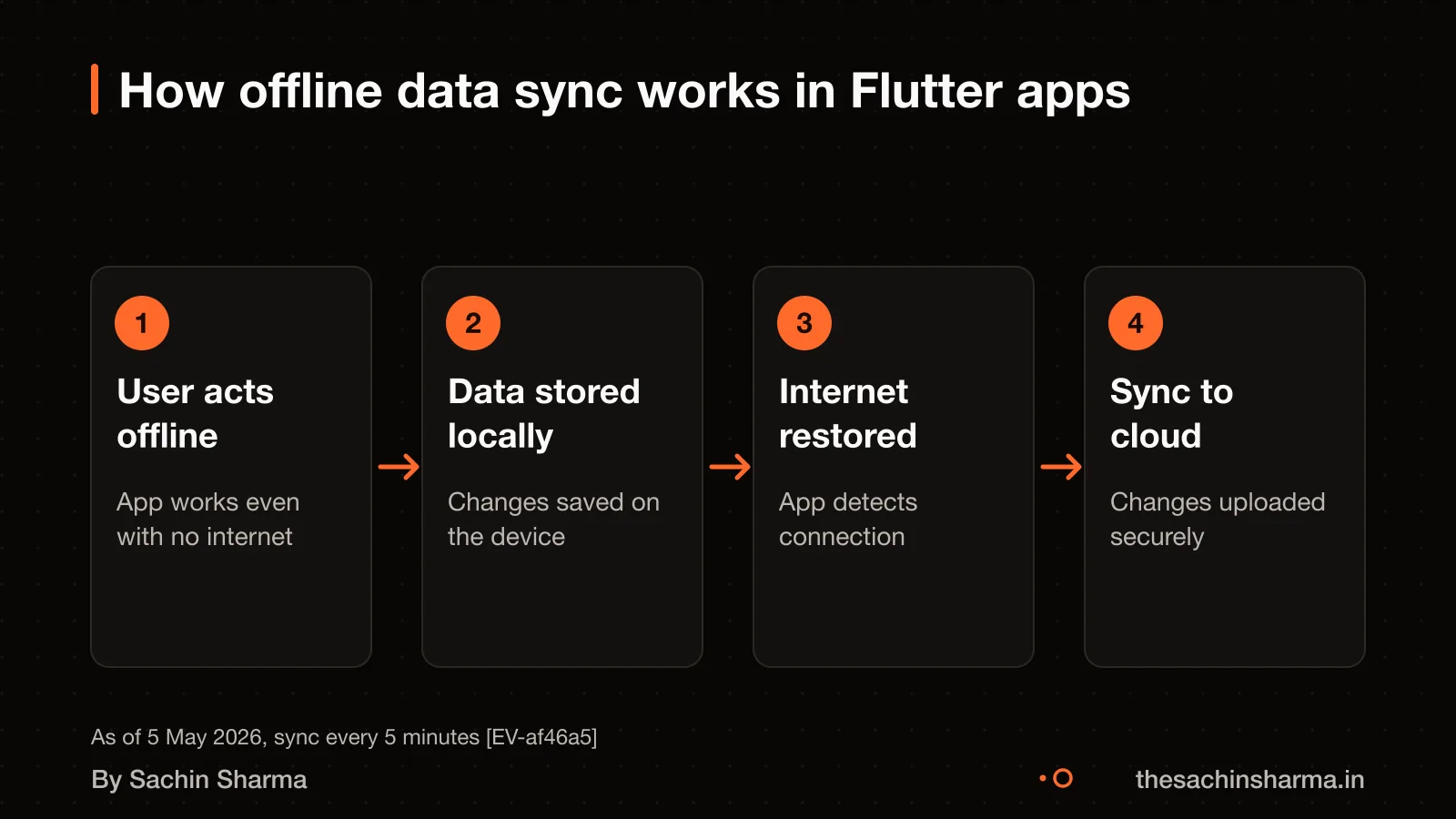
Yes, a well-built Flutter app can work with limited or no internet connection. This is called an offline-first app. It stores data on your phone first, so users can still add, edit or view content without a connection. The app syncs once the network returns.
Data is saved locally using tools like Hive or SQLite, and synced later to the cloud. The repository layer manages both local and remote sources as one. For example, MojoPlay supports offline downloads and background playback.
A background timer can be used to run periodic tasks, for example every five minutes. If two users edit the same data, the app may flag a conflict. How it is resolved depends on the app's design. You can test this by turning off Wi-Fi and using the app, then checking if changes appear later.
Look for proof of real sync in live apps. Ask the developer: “Can I see a log of a conflict that was resolved?” A working example is MojoPlay: an offline-first music app with sync.
Flutter vs React Native: which should you pick?
Flutter and React Native both let you build apps for Android and iOS from one codebase. Flutter has better integration with Google services like Firebase, Google Play, Google Pay and Google Maps. This makes setup faster if you plan to use these tools. Flutter is supported and used by Google.
Performance in both frameworks is close for most business apps. But Flutter compiles to native code, which can mean smoother animations and faster response times on low-end devices. This matters if your users are on older phones or slow networks. React Native relies more on JavaScript bridges, which can add small delays.
Flutter lets you deploy the same app to mobile, web, desktop and even embedded devices from one codebase. This is useful if you later want a desktop admin panel or a web version without rewriting everything. The single codebase also makes long-term maintenance easier. You fix a bug once, and it applies everywhere.
For apps in India, especially in tier-2 cities like Raipur, offline support and performance on budget devices are key. Flutter’s offline-first design and strong Google ecosystem support make it a solid choice. If your app needs deep Google service integration or may expand beyond mobile, Flutter is often the better fit.
You can compare Flutter with React Native by checking what each developer has built. Some React Native apps may use workarounds for Google services that Flutter handles out of the box. If you are still deciding, read about the Best React Native developer in Raipur to understand trade-offs.
Does the app support Hindi and local needs?
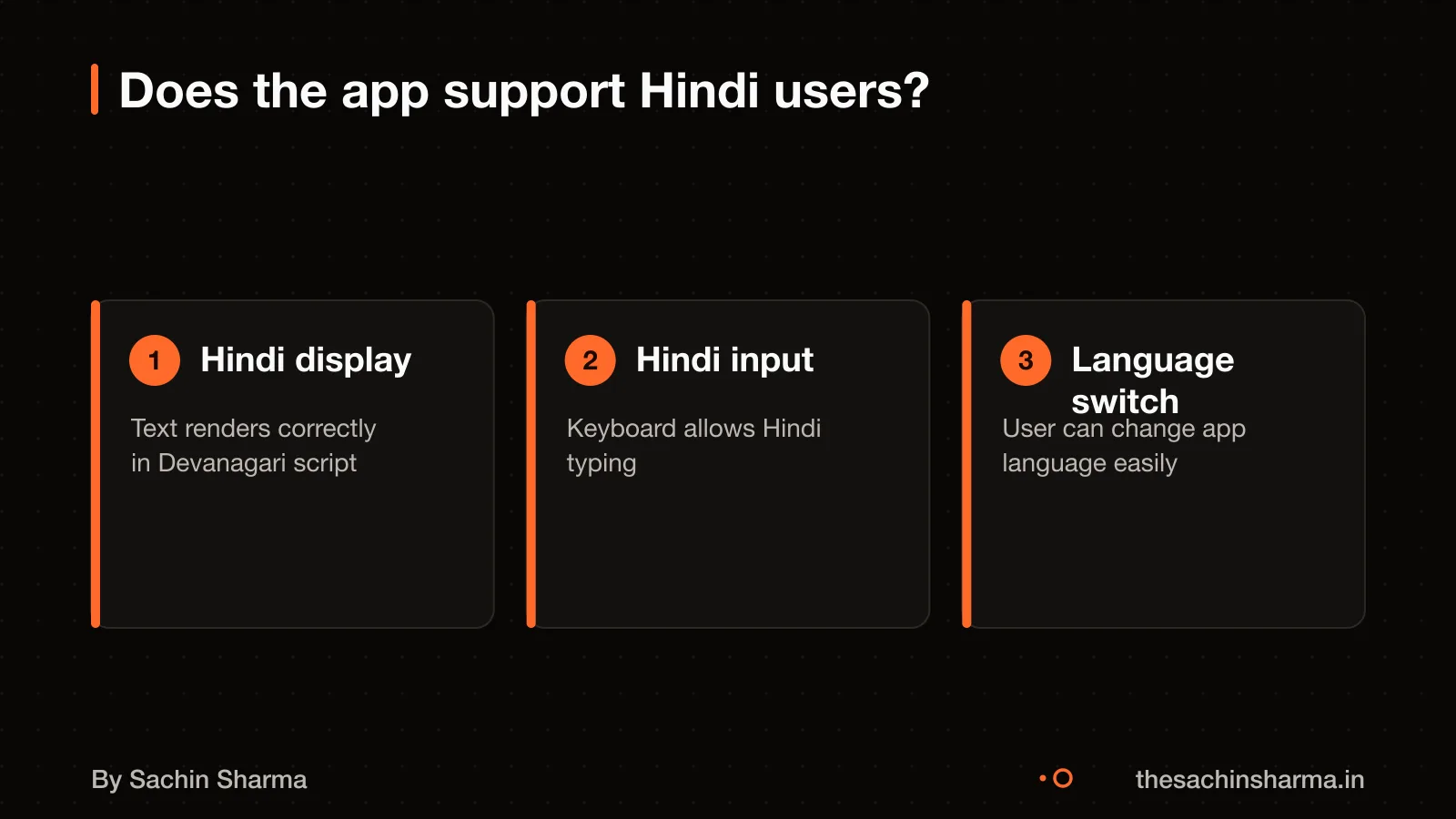
Yes, a Flutter app in Raipur must display Hindi text, support Hindi input, and use a design that fits local users. Hindi is the primary language in Raipur. If your users speak Hindi, the app must work in Hindi from the start.
Flutter supports Hindi text rendering out of the box using standard widgets. You can set the app’s default language to Hindi and bundle the necessary fonts. Users expect Hindi labels, buttons, and instructions that feel natural, not direct translations from English.
For input, the app should work with common Hindi keyboards like Gboard or Indic Keyboard. Flutter handles Unicode input, so users can type in Hindi in forms, search bars, and chat. Test this with real users to ensure suggestions and autocorrect work.
Design matters too. Colours, icons, and layouts should match local habits. For example, green is often linked with growth and safety, while red can signal alerts. Avoid crowded screens, users may use the app on older phones with small touch areas.
An example is Daily, a current-affairs app in Hindi built in Flutter. It shows news, quizzes, and streaks in Hindi, with a clean layout made for small screens and slow reading habits. This shows how a Flutter app can meet local needs well.
To check a developer, ask: - Have you built a Flutter app in Hindi? - Can I see a screenshot of a Hindi screen? - Did users test it on low-end Android phones?
If they cannot answer, they may not have real local experience.
What fails first in a Flutter app?
Sync issues happen when the app does not store data locally before sending it to the server. In offline-first apps, the local database must save changes first, then sync when online. If the app skips local storage, user data can be lost during poor connectivity.
Under high load, apps break when they rely on real-time sync without queuing. For example, if ten users edit the same record offline, all changes may clash at once. A simple sync setup runs every 5 minutes, but that delay can let conflicts grow. Without conflict resolution rules, the last update overwrites others, causing data loss.
Updates fail when the app’s architecture does not support modular changes. If screens, logic and data are mixed in one file, small fixes take longer and break other parts. This leads to technical debt: future updates slow down because the code is fragile and undocumented. Over time, even simple changes need full retesting.
Technical debt starts early if the developer skips structure. Apps built without clear layers (UI, logic, data) become hard to test and scale. You may not see this at launch, but it shows when adding features or fixing bugs. A well-structured app uses patterns like repository or bloc, making updates safer and faster.
How a project like this is run shows how real teams manage these risks with planning and testing.
How to check if a developer has shipped real apps
Ask the developer for links to live apps they have shipped. Open each app right now and test it offline by turning off Wi-Fi and mobile data. A real offline-first app continues to work: you can view content, add entries, and the app saves them locally. This happens when the app uses a local database like Hive or SQLite and syncs only when back online.
Check if the developer has public GitHub or GitLab repositories with recent, active commits. Look for code that handles local storage, error retries, and background sync. A commit log showing fixes to sync conflicts or offline crashes is strong proof of real-world use. For example, Loopin is an offline-first habit tracker that uses Hive and syncs with Google Drive.
Long-term maintenance proof includes update logs, user reviews, and visible bug fixes over months. If the app has been updated every few weeks or months, it means the developer supports it after launch. Ask: “Can you show me a change you made to this app three months ago?” A developer who can pull up a specific fix or feature addition is more trustworthy.
Want to see if your idea can work offline? Send one line on WhatsApp. I reply with what to build first.
Message me on WhatsApp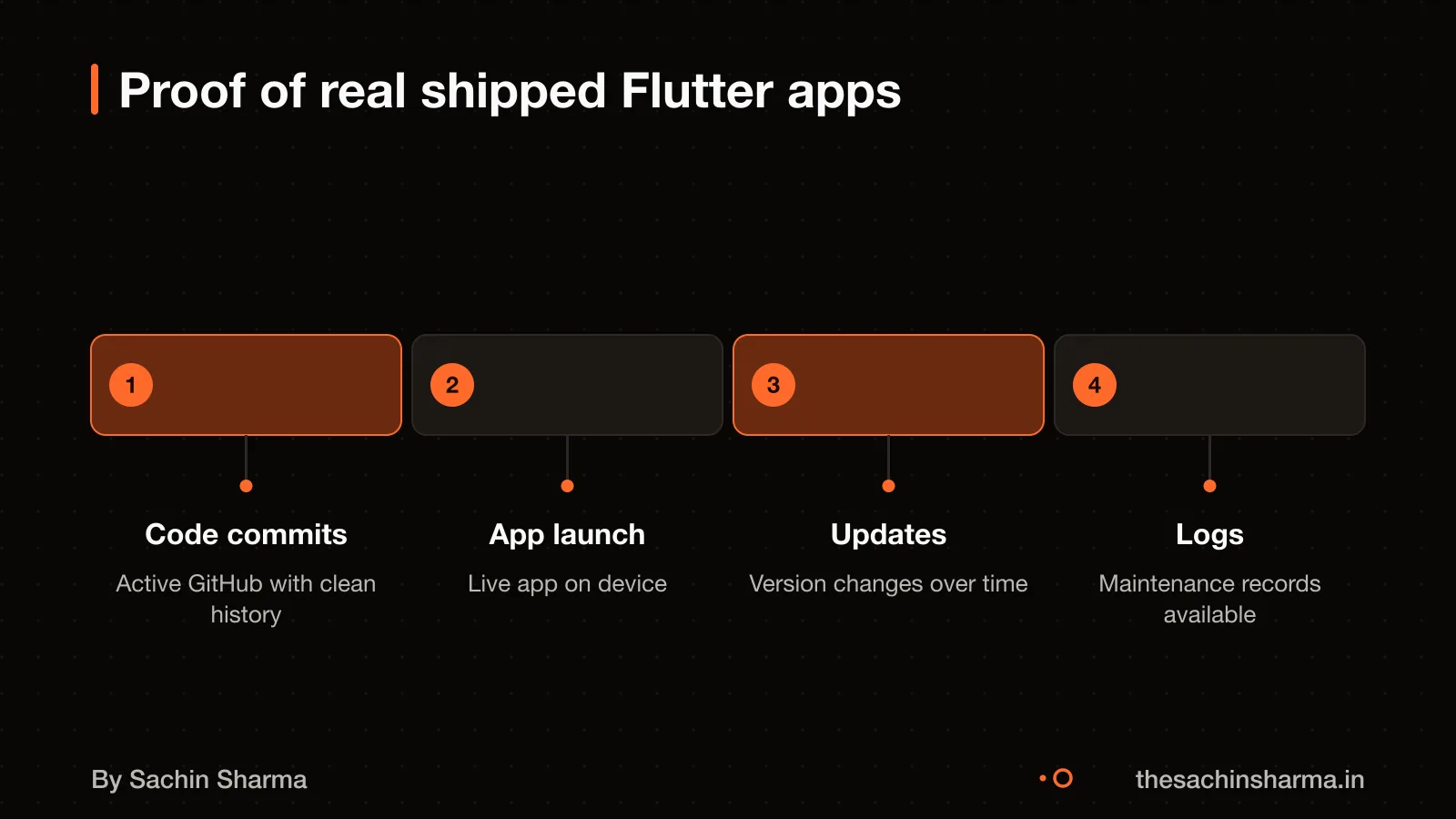
What tax and contract rules apply when hiring?
If the developer is GST-registered and the contract value exceeds ₹20 lakh in a financial year, GST applies. Without a GST invoice, you cannot claim input tax credit. For any undisclosed income, the tax is 60%. Plus a 4% Health and Education cess on the total tax amount. This means undeclared earnings face a steep cost, so clear contracts help both sides stay compliant.
Tax audit reports must be filed by 30 September 2026 if turnover or gross receipts exceed the threshold. If your app project is part of a larger business that crosses these limits, the audit deadline applies. Since tax rules depend on your specific business structure and turnover, it is best to consult a chartered accountant (CA) to confirm your obligations.
When drafting the contract, include clauses on code ownership, delivery timelines and payment terms. Use plain language to define what “done” means for each feature. You may also want to specify that the developer uses version control (like GitHub) and shares access only when needed. For understanding technical terms in the contract, such as API Keys, limits and versions, refer to the glossary.
Worked example: testing sync conflict resolution
Worked example: testing sync conflict resolution
To test sync conflict resolution, first simulate offline use. Turn off Wi-Fi and mobile data, then make a change in the app, like updating a task or profile field. The app should save your change locally without an error. This works because the data is stored in the local database before being sent to the server.
Next, turn the internet back on and wait up to 5 minutes. A well-built app may use a background sync task that runs periodically, for example every five minutes. During this time, the app should send your offline change to the server. To check if this happened, look at the app’s sync logs. These logs should show a timestamped entry for each sync attempt, including success or failure. If available, ask the developer to share a sample log showing a completed sync after reconnection.
Then, review the developer’s commit history on a public repository like GitHub. Look for code that handles conflict resolution, such as merging changes when both server and device have updated the same record. Commits should mention sync logic, error handling or database transactions. Frequent, small commits around sync features suggest active maintenance and real-world testing.
For a real example of sync in action, See sync in action in MojoPlay. MojoPlay is a Flutter music app with offline downloads and real-time "Listen Together" sessions.
When you should not hire a Flutter developer in Raipur
When you should not hire a Flutter developer in Raipur
Do not hire a Flutter developer if your project is too small. Apps cost more to build and maintain.
Do not proceed if your idea is unclear. An app needs a clear purpose, like booking services or tracking orders. If you are still deciding what you need, start with a paper sketch or a WhatsApp group to test demand.
Consider alternatives like a website or WhatsApp if your users are not tech-heavy. A website is cheaper and easier to update.
If your need is temporary or seasonal, an app may not be worth it. You can always start simple and add an app later.
Next step: message me on WhatsApp with what you want to build. No forms, no sales team.
Message me on WhatsAppNext step: how to start hiring
Next step: how to start hiring
Open it now and turn off the internet: can you still add or edit data? Test if it syncs back when online. Then ask, "How do you handle conflicts when two users edit the same record?" A strong answer includes local-first design, conflict logs and manual review options. [[cta]]Next step: message me on WhatsApp with what you want to build. No forms, no sales team.
Questions people ask
01How do they differ under load?
Offline-first apps store data locally and sync later. For example, a Flutter app saves changes on the device first, then sends them when online.
02What does migration cost later?
Migration cost is not known and depends on the app's architecture and data complexity. Technical debt can make switching platforms expensive. Before any move, review the codebase and data model with an independent developer to estimate effort.
03What fails first?
Sync conflicts and network failures can occur in offline apps. Offline-first design supports functionality during disconnection.
04How much does it cost to build a Flutter app in Raipur?
The cost to build a Flutter app in Raipur is not known. Prices vary by features, team and timeline. Get at least three quotes and compare what each includes. Focus on scope, not just price, to avoid hidden costs.
05How long does development take?
Development time is not known and depends on the app's scope, team size and clarity of requirements. Ask for a timeline with clear milestones. Regular updates help catch delays early.
06What support is needed after launch?
Support needs are not known but typically include bug fixes, OS updates, hosting and feature tweaks. Budget for at least three months of post-launch support. Confirm who owns the code and servers before launch.
07Who owns the app code and Play Store account?
You must own both the app code and the Play Store account. Ownership is not automatic. Confirm in writing before any payment. Without ownership, you cannot update or transfer the app later.
08Are there tech meetups for Flutter in Raipur?
There is no known evidence about Flutter meetups in Raipur. Check online groups like Flutter India or attend national events. Online communities can offer support and learning resources.
09Which industries in Raipur benefit most from Flutter apps?
There is no evidence on which industries benefit most. Evaluate based on user needs, not trends. Offline apps can be useful in areas with poor connectivity.